
Quotation Services
Easily Create and Send Quotation to customer. Create and track multiple versions of quotations. Create invoice from single or multiple quotations.


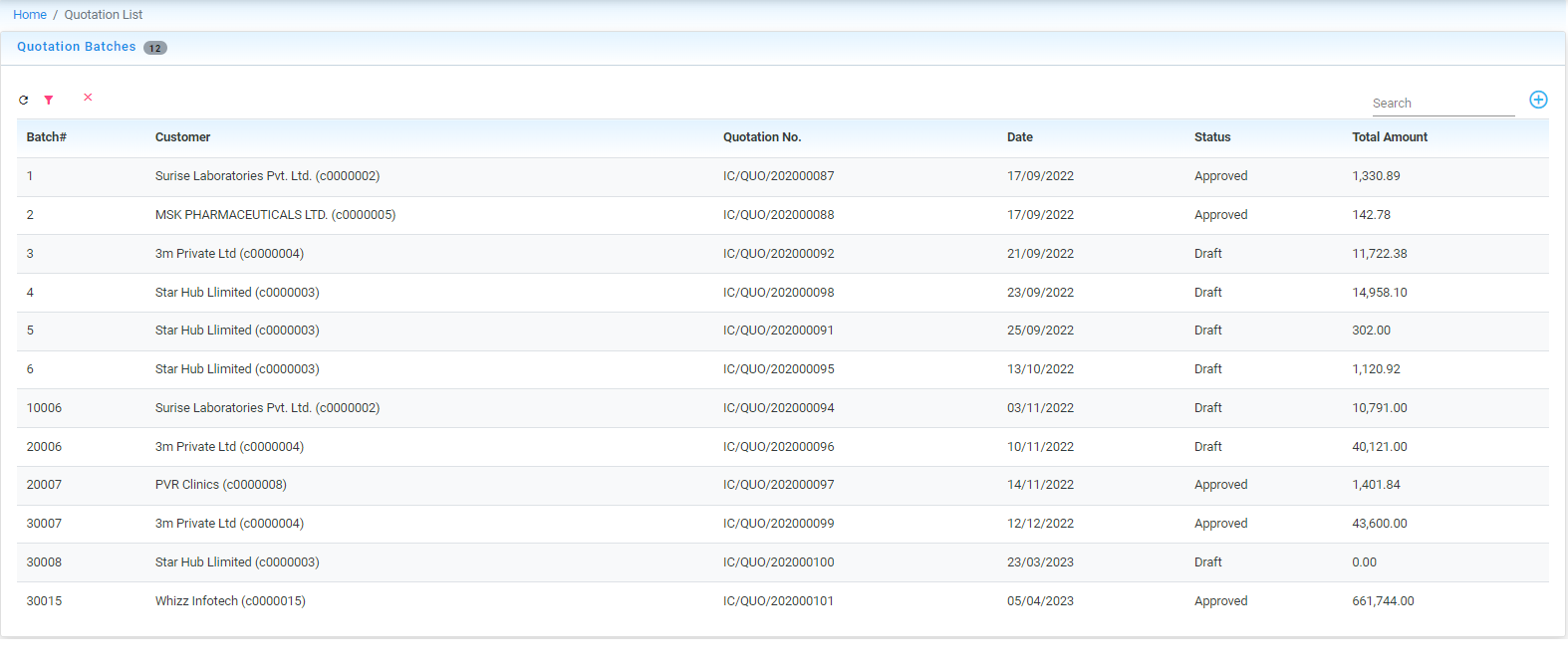
Quotation Listing
Quickly review quotations list, filter quote by status, customer or amount. Export Quote to PDF
Quotation Page
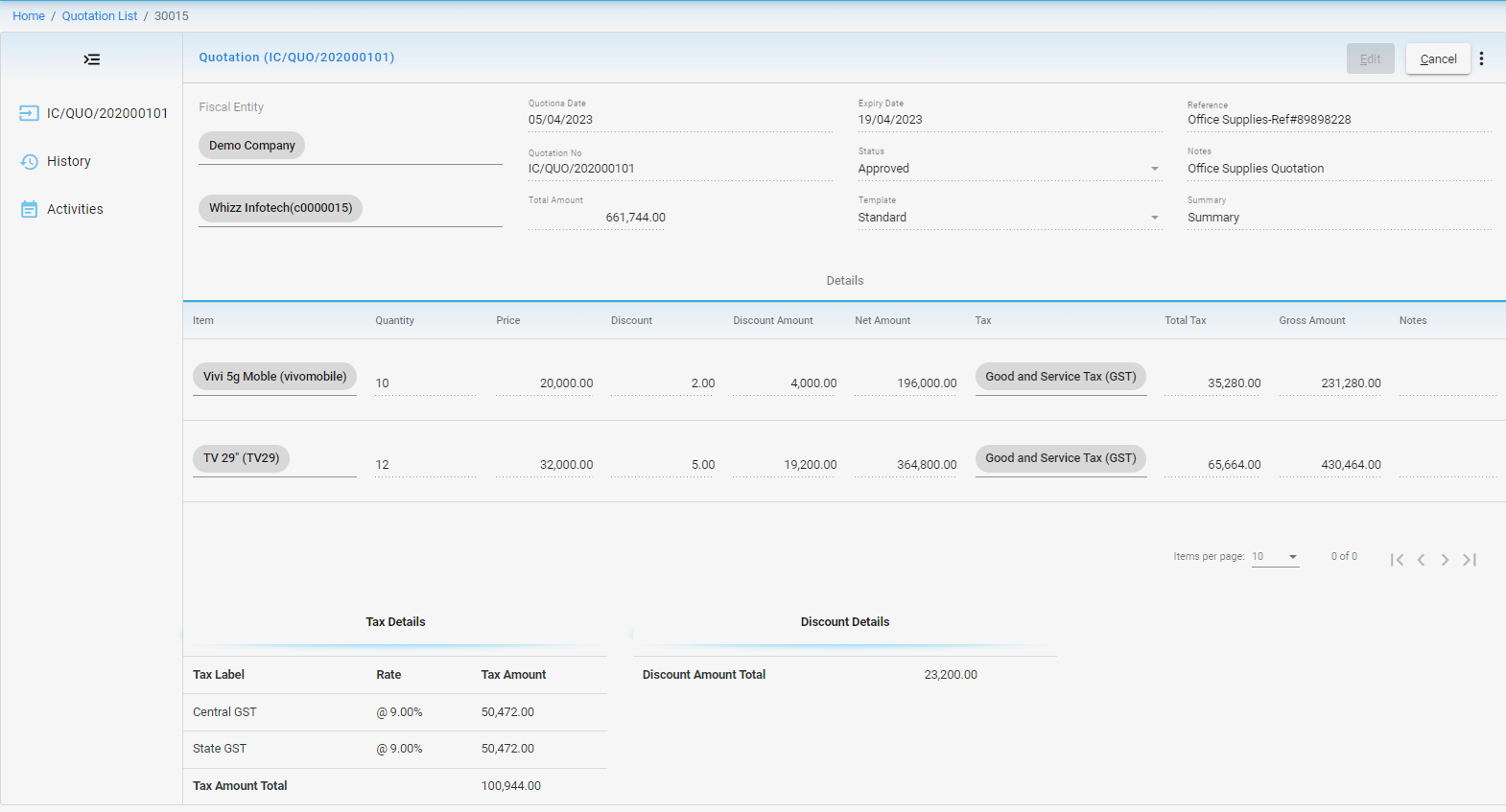
- Template driven view of Quotation. Allow flexibility to hide/show columns details
- Auto fill Item amounts and tax calculations.
- Create multiple versions of quotations and track history of changes.
- Create new quotation from existing quotations.
- Quick create invoice from quotations.
- Multiple invoices from single quotations
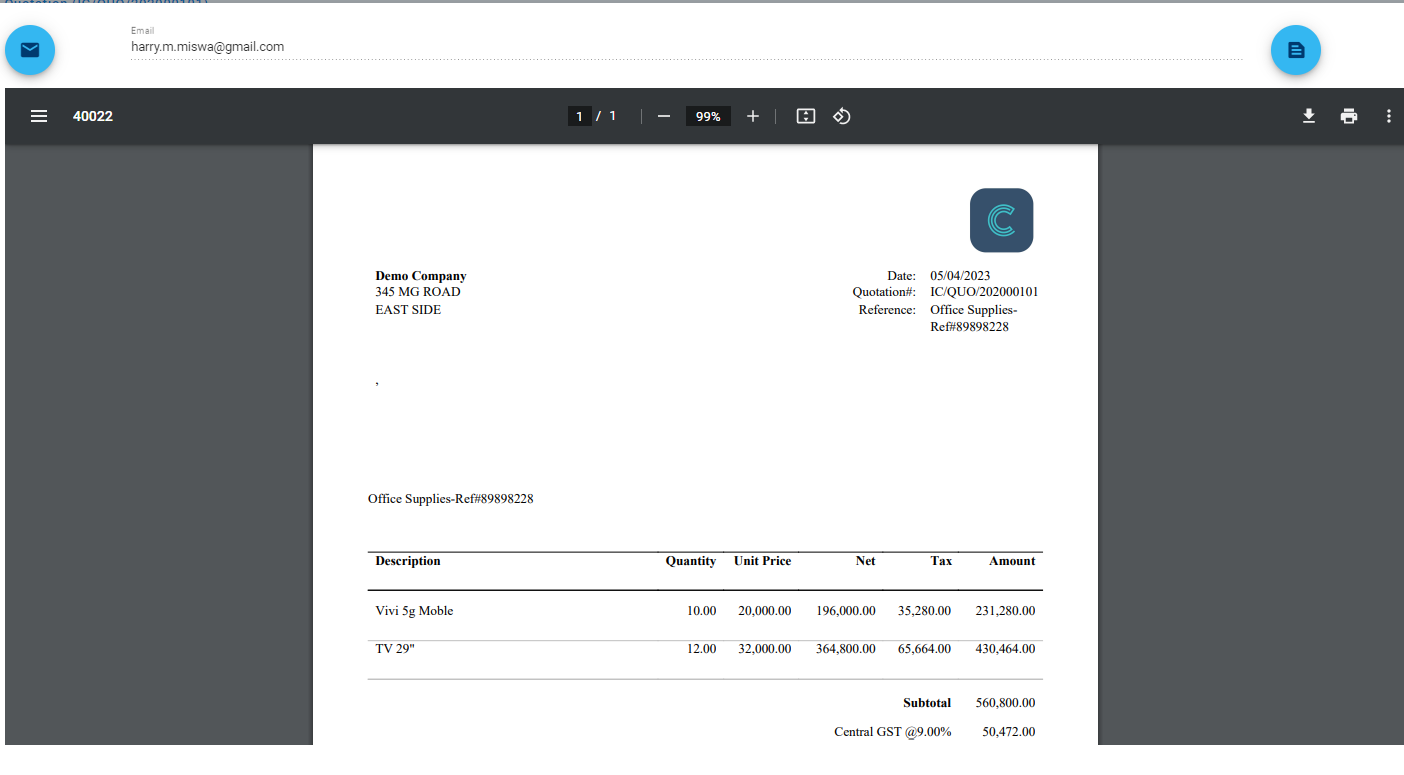
Preview, Print and email
- Preview quotation before sending to customer.
- Customize Quotation document to match with brand.
- Keep track of sent quotations and email history
Activities on Quotations
- Create Task with start date, reminders for employees to do follow up on quotations
- Send follow-up email to customers for quotations and keep track of emails.
- Add notes/comments to effective track changes to quotation.
Frequently Asked Questions
Why Cerobooks to create quotations?
Cerobooks allows quickly create quotations, create multiple versions of quotation and track all changes in one place. It is possible to create invoice from quotation. Single invoice can be created from multiple quotations
Is it possible to customize quotation screen?
Cerobooks Quotation screen is template driven. Means, layout of screen can be customized to show/hide details.
Can I create additional fields to record extra information on Quotation?
Yes, custom screen can be created to record additional details.
Can I customize Quotation print document?
Yes. Quotation Print document can be customized to meet your business requirement.
Can I customize Quotation Print document to show additional details?
Yes, recorded additional details can be printed don quotations.